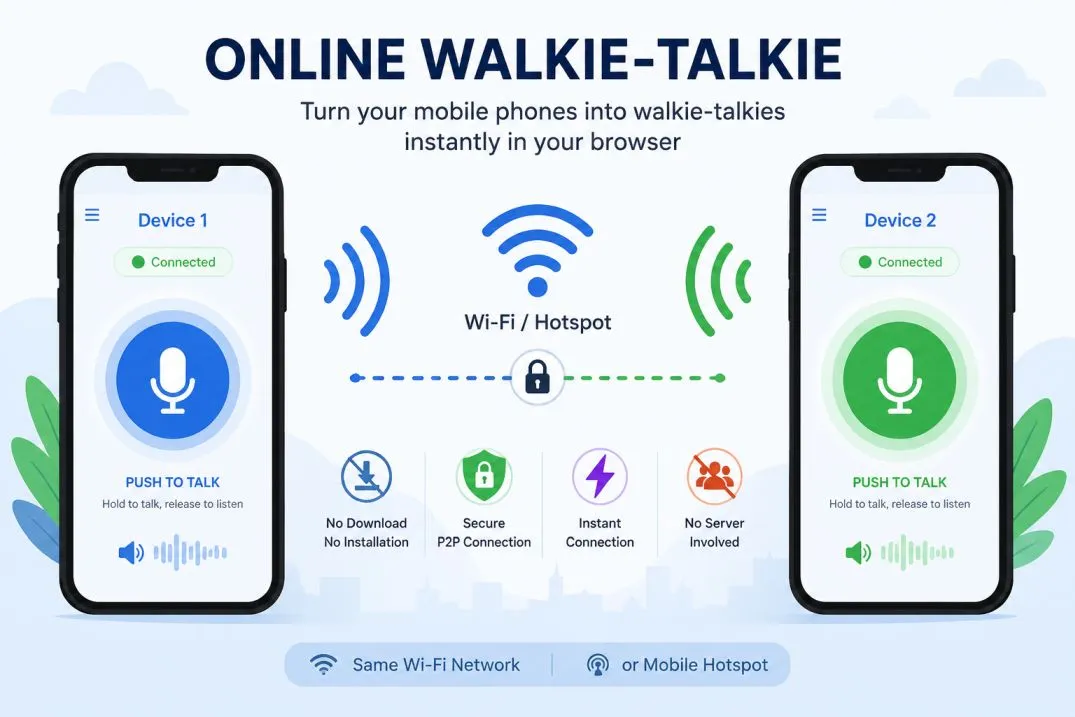
About this tool - Free Online Walkie-Talkie
Welcome to the ultimate hassle-free communication tool. We built this application with a strict "local-first" philosophy. It allows you to transform any two devices—laptops, tablets, or smartphones—into a fully functional, highly secure Walkie-Talkie system over local Wi-Fi or Hotspot entirely inside your web browser.
Why is this the quickest tool on the web?
- No Download, No Installation: Storage space is precious. You don't need to install a heavy app just to talk to someone in the next room.
- No Signup required: We don't want your email or phone number. Open the page and start talking.
- Instant & Easy: The pairing process uses your camera to scan a simple QR code, connecting the devices in seconds.
- Absolute Privacy: Your voice data never touches a server. It travels directly through the air (via your local Wi-Fi or Hotspot) from Device 1 directly to Device 2.
Application User Guide (Step-by-Step)
Setting up your private channel is incredibly easy:
- Network Setup: Ensure both Device 1 and Device 2 are connected to the same Wi-Fi network. If you don't have Wi-Fi, turn on the "Mobile Hotspot" on one device, and connect the other device to it.
- Initialize Device 1: On the first device, tap "I am Device 1". A QR code will generate on the screen.
- Initialize Device 2: On the second device, tap "I am Device 2", then tap the "📸 Scan Device 1" button. Point the camera at Device 1's screen.
- Final Handshake: Device 2 will instantly generate its own QR code. On Device 1, scroll down to Step B, tap "📸 Scan Device 2", and scan it.
- Start Talking: Both screens will immediately switch to the radio interface. Press and hold the big "PUSH" button to speak, and release it to listen. You can also type instant text messages!
Use Your Mobile Phone as a Walkie-Talkie Instantly
Looking for a way to use your mobile phone as a walkie-talkie without downloading an app?
This free browser-based tool lets you convert your phone into a walkie-talkie in seconds.
Simply open this page on two smartphones, tablets, or computers connected to the same Wi-Fi network or mobile hotspot and start talking instantly.
Unlike traditional walkie-talkie applications, this tool requires no software installation,
no registration, and no account creation. It works directly inside Chrome,
Edge, Safari, Firefox, and other modern web browsers. If you need an
online walkie-talkie for mobile phones without installing software,
this is one of the easiest solutions available.
This application can also be used as a phone-to-phone intercom,
Wi-Fi walkie-talkie, mobile hotspot walkie-talkie,
browser voice communicator, local network voice chat,
instant push-to-talk system, or a private two-way radio alternative.
Whether you need communication between rooms, floors, offices, classrooms, warehouses, workshops,
homes, or temporary events, you can turn two phones into a secure walkie-talkie system within minutes.
Popular searches related to this tool include:
use phone as walkie-talkie, convert mobile phone into walkie-talkie, browser walkie-talkie,
free online walkie-talkie, walkie-talkie without app download, walkie-talkie without installation,
web-based walkie-talkie, local Wi-Fi walkie-talkie, hotspot walkie-talkie, push-to-talk browser app,
smartphone intercom, phone-to-phone communicator, secure local voice chat, and serverless voice communication.
Frequently Asked Questions (FAQ)
Do I need to download an app to use this walkie-talkie?
Absolutely not. There is no download, no installation, and no setup required. This is an instant, easy, quick tool that runs entirely inside your web browser.
How do I connect two devices?
Simply open this page on both devices. Set one as 'Device 1' and the other as 'Device 2'. Device 2 scans Device 1's QR code, and vice versa. You are instantly connected via a direct P2P link.
Can I connect more than two devices at once?
Currently, this tool supports a direct, highly secure 1-to-1 connection (Device 1 to Device 2). Adding multiple devices in a pure serverless, no-signup environment requires a complex "mesh network" where every person has to scan every other person's code. We kept it to two devices to ensure the tool remains fast, easy, and instant!
Is my voice data saved on a server?
No. This tool leverages WebRTC technology. Once paired, the audio and text streams travel directly from your hardware to the other device. Nothing is recorded, processed, or saved on any external servers.
Why isn't my microphone working?
For security reasons, modern web browsers require you to grant "Microphone Permissions" before any website can record audio. Check your browser's URL bar for a small camera/microphone icon to allow access.
Alternate Classifications
This browser application is also classified under the following terminology:
Browser Walkie Talkie, WebRTC Voice Chat, Local WiFi Walkie Talkie, P2P Browser Chat, Serverless Voice App, Instant Web Communicator, No App Walkie Talkie, Web-Based Intercom, Zero Setup Radio App.