Online Video Datamosh & Glitch Effects Tool
Create viral videos with datamosh, glitch art, and unique effects using this privacy-first online tool. No signups or downloads required.
Open Media to Start
Your video is processed locally. No files are uploaded.
About Video Glitch & Mosh Online Tool | Video Datamosh Online Engine
Who Is This Tool For?
- Content Creators: Design eye-catching and viral aesthetics for social media videos.
- Digital Artists: Craft unique glitch-inspired masterpieces using advanced visual processing techniques.
- Privacy-Conscious Editors: Process sensitive media safely with a local-first engine that never uploads your files.
- Motion Designers: Experiment with fluid transitions and motion-based effects through real-time frame manipulation.
- Live Visual Performers: Utilize a high-performance, browser-based tool for real-time VJ sets and visual experimentation.
Select any local video file. Processing stays entirely inside your browser.
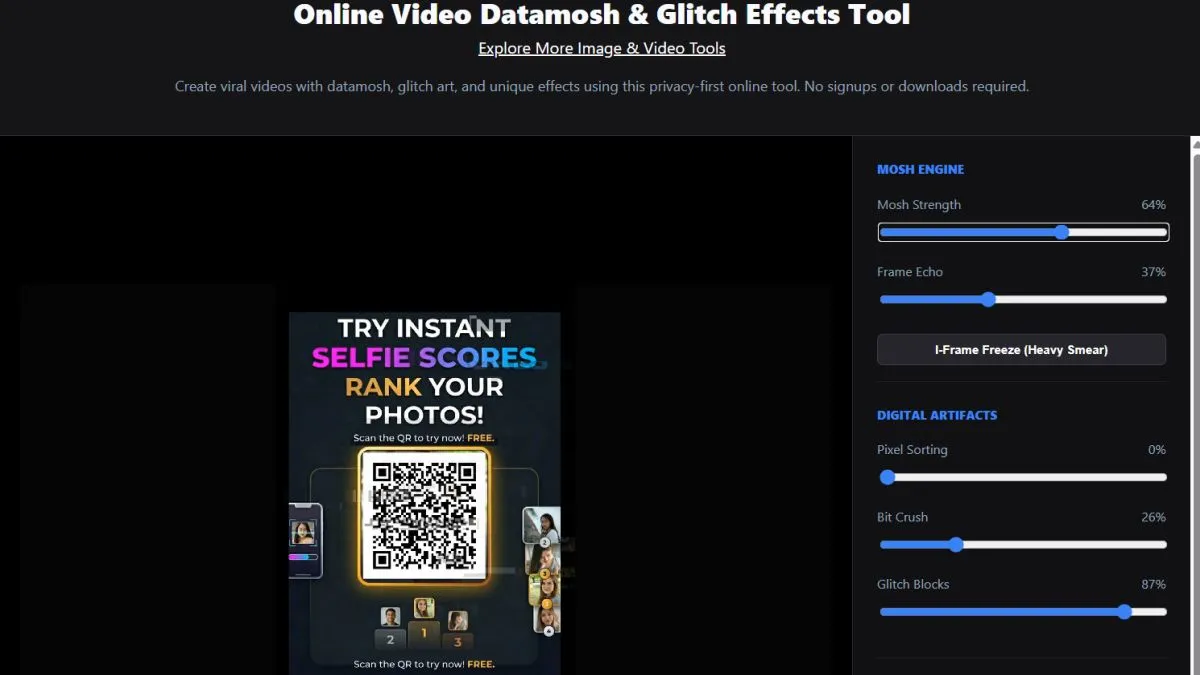
Tweak parameters like Mosh Strength, Pixel Sorting, and Frame Echo.
Click 'Start Recording' and shift sliders live to create organic visual corruption.
Hit 'Stop & Save' to automatically save & download video file.
Try 3D Photo & 3D Video tools
Technical Guide: Mastering Digital Datamoshing
Creating professional-grade glitch art requires more than just random noise. The OnlineToolsX Video Mosh Engine operates by simulating compression errors and pixel-sorting algorithms directly in your browser's environment.
The Science of Delta Frames
Most digital videos don't store every full frame. Instead, they store "P-Frames" (Delta frames) that only describe what changed from the previous image. Our tool disrupts this predictive data, forcing the browser to render "ghost pixels" from previous scenes into current ones, creating the classic datamosh aesthetic.
RGB Shift & Chromatic Aberration
To achieve the "analog horror" or "vaporwave" look, our engine uses a custom shader to decouple the Red, Green, and Blue channels. By shifting these channels independently, we simulate the lens fringing found in vintage CRT monitors and degraded VHS tapes.
Advanced Workflow Tips
- • High Motion Clips: For the best datamoshing results, use source videos with high movement or quick pans. The more pixel change there is, the more dramatic the "bleeding" effect will be.
- • Performance Optimization: Since this tool follows a Local-First architecture, all processing happens in your RAM. For 4K videos, ensure other browser tabs are closed to give the Glitch Engine maximum hardware acceleration.
- • Capture Control: Use the "Live Record" feature to capture your interactions. Moving the sliders during the recording creates a dynamic, performance-based glitch that feels more organic than static filters.
Frequently Asked Questions (FAQ)
What is Datamoshing?
Datamoshing is a creative technique that reimagines video compression data, specifically P-frames and motion vectors to cause images to flow and merge beautifully into one another.
Is my video uploaded to a server?
No. All video processing is performed locally on your device. Your media never leaves your browser, ensuring total privacy.
How do I download the glitched video?
Click the 'Start Recording' button while your effects are active. Once you click 'Stop', the browser will compile and download a high-quality WebM file.
What is Pixel Sorting?
Pixel sorting is a digital art technique where rows or columns of pixels are reordered based on their brightness or color, creating a melting or digital drip effect.
Key Features
- Professional Datamoshing & P-Frame Smear Simulation
- Real-time Pixel Sorting & Luminance Melting Engine
- Bit-Crushing and High-Quality Resolution Downsampling
- Analog VHS Noise & CRT Scanline Simulation Post-Processing
- Audio-Reactive Glitch Syncing for Music Edits
- 100% Local Processing (Zero Server Uploads)
- High-Resolution WebM Export with Audio Support
- Zero-Latency UI & Privacy-First Architecture
Alternate Names & Search Terms
Video Glitch Tool, Datamosh Generator, Pixel Sorting App, Video Mosh Suite, Glitch Art Maker, Professional Video Destructor, Browser-Based Datamosher, Video Artifact Generator, VHS Effect Online, Digital Glitch Editor, Motion Smear Tool, Glitch Effect, Video Mosh, Glitch Art Engine.